
There’s a massive shift happening right now. Most people still think Artificial Intelligence is just about chatbots, image generators, or asking questions inside tools like ChatGPT. That’s surface-level AI.
The real revolution is happening underneath.
Smart entrepreneurs, startups, and futuristic businesses are now building AI agents that can:
- Answer customers automatically
- Close sales
- Generate leads
- Manage workflows
- Create content
- Analyze business data
- Handle operations
- Run marketing campaigns
- Book meetings
- Manage inventory
- Trade crypto or stocks
- Recruit employees
- Automate customer support
- Operate 24/7 without salaries or burnout
This is where business is going. The future company may not have 500 employees. It may have 5 humans managing 500 AI agents. And if you learn this skill now, you position yourself ahead of millions of people.
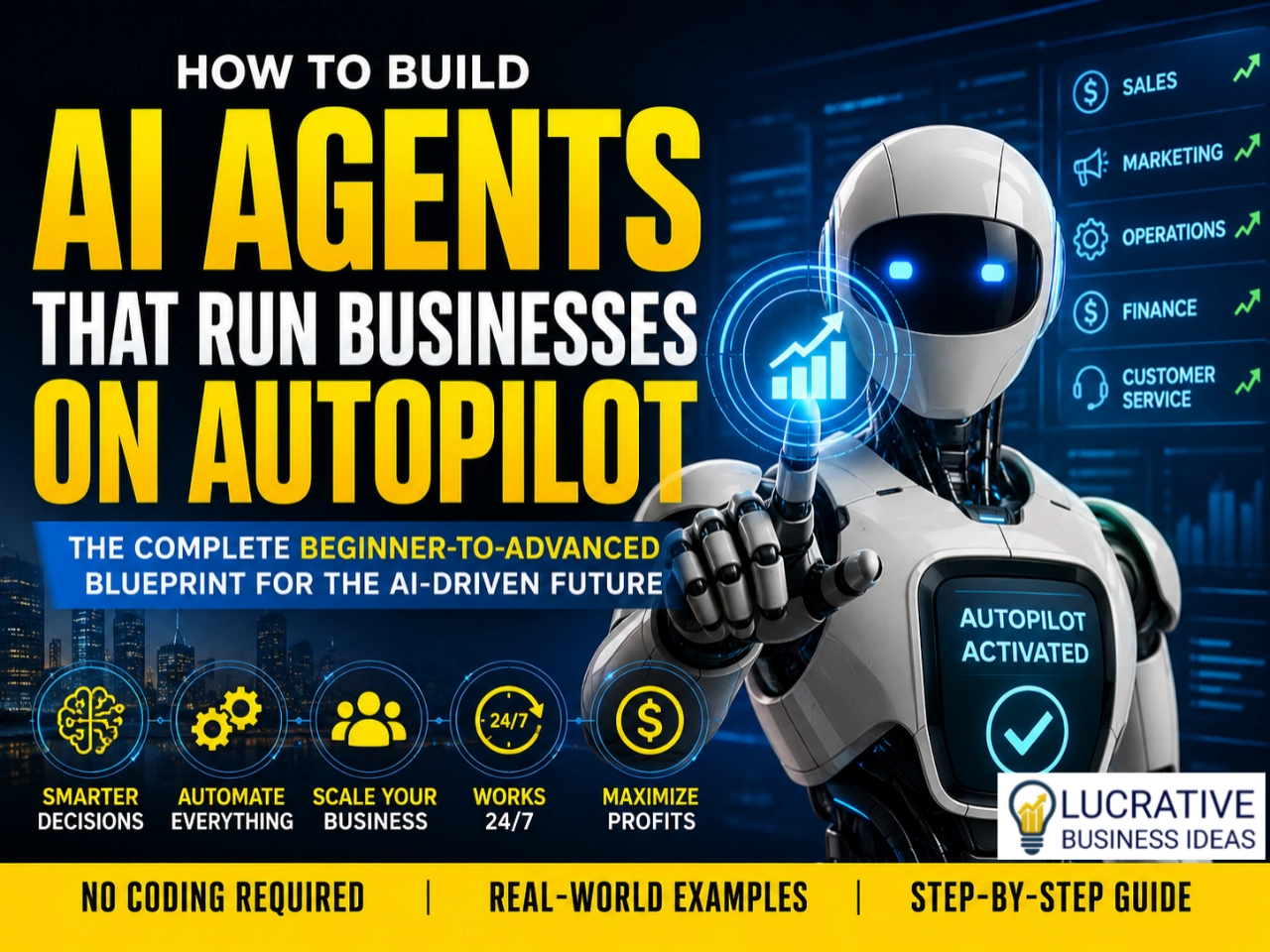
This guide will break down — step by step — exactly how to build AI agents that can run businesses on autopilot. Not theory. Real-world implementation.
First: What Exactly Is an AI Agent?
Most people confuse AI tools with AI agents. They are not the same thing.
AI Tool
A tool responds when you ask it something.
Example: You ask AI to write an email. It writes the email. Done.
AI Agent
An agent can:
- Think through tasks
- Make decisions
- Use tools
- Take actions
- Remember context
- Execute workflows automatically
An AI agent behaves more like a digital employee.
It can:
- Receive instructions
- Perform multi-step operations
- Adapt based on outcomes
- Continue tasks without constant supervision
Think of it this way:
- Traditional Software follows rigid rules while AI Agents makes intelligent decisions.
- Traditional Software needs manual operation while AI Agents works independently.
- Traditional Software are static while AI Agents are adaptive.
- Traditional Software have limited workflows while AI Agents have dynamic workflows.
The 5 Layers of an Autonomous AI Business System
Before building anything, understand the architecture.
Every powerful AI business system usually contains these layers:
1. Brain Layer (LLM)
This is the reasoning engine.
Examples:
- OpenAI GPT Models
- Claude AI
- Gemini AI
- Mistral AI
This layer handles:
- Thinking
- Understanding
- Planning
- Decision making
- Reasoning
2. Memory Layer
This helps the agent remember things. Without memory, AI behaves like someone with short-term memory loss.
Memory enables:
- Customer history
- Business context
- Past conversations
- Workflow continuity
- Learning patterns
Popular memory systems:
- Vector databases
- Pinecone
- Weaviate
- ChromaDB
3. Tool Layer
This is where the magic happens. AI agents become powerful when they can use tools.
Examples:
- Send emails
- Access spreadsheets
- Search the web
- Generate reports
- Post on social media
- Connect to CRMs
- Use APIs
- Make payments
This transforms AI from “chatbot” into “operator.”
4. Workflow Layer
This defines automation logic.
Example:
- New customer enters website
- AI qualifies lead
- AI sends email
- AI books appointment
- AI updates CRM
- AI follows up automatically
This layer connects everything together.
Popular automation platforms:
- Zapier
- Make
- n8n
5. Execution Layer
This is where real business actions happen.
Examples:
- Sending invoices
- Launching ad campaigns
- Updating inventory
- Managing orders
- Processing tickets
- Posting content
- Executing trades
This layer turns intelligence into business output.
Now that you have understood what an AI agent is all about and its different layers, et’s now explain how to build or setup an AI agent to autopilot your business.
Step 1: Choose the Business Problem First
This is where most people fail. They start with technology instead of problems.
Don’t begin with: “I want to build an AI agent.”
Start with: “What expensive human task can AI automate?”
That changes everything.
The Best Businesses for AI Agents
AI agents thrive in repetitive, data-heavy industries.
Excellent opportunities include:
- Customer support
- Lead generation
- Real estate
- Marketing agencies
- E-commerce
- Crypto research
- Stock analysis
- Recruitment
- Appointment booking
- Content creation
- Sales outreach
- Business analytics
- Logistics
- Agriculture operations
- Online education
Step 2: Define the Agent’s Job Clearly
Your AI agent must have a precise role.
Bad example: “Help my business.”
Good example: “Qualify inbound leads, answer FAQs, schedule appointments, and follow up with prospects.”
Specificity creates performance. Treat your AI agent like a real employee.
Define:
- Responsibilities
- Rules
- Goals
- Restrictions
- Escalation conditions
- Tone of communication
- KPIs
Step 3: Choose Your AI Agent Framework
You do not need to build everything from scratch. Several powerful frameworks already exist.
Beginner-Friendly Platforms
- Flowise AI: Visual drag-and-drop AI workflow builder. Great for beginners.
- Langflow: Visual AI orchestration tool. Excellent for rapid prototyping.
- AutoGen: Powerful multi-agent framework from Microsoft. Ideal for advanced automation.
- CrewAI: Lets multiple AI agents collaborate together. Extremely powerful for business systems.
- LangChain: One of the most widely used AI orchestration frameworks. Highly flexible.
Step 4: Connect Your Agent to Real Business Tools
This is where agents become dangerous — in a good way. A standalone AI is limited. A connected AI becomes a digital workforce.
Your agent should connect to:
- Gmail
- Slack
- CRMs
- Databases
- Stripe
- Calendars
- Shopify
- Notion
- Airtable
- Google Sheets
Example: AI Sales Agent Workflow
Imagine this system:
- Customer fills website form
- AI analyzes lead quality
- AI checks budget
- AI sends personalized email
- AI books meeting
- AI updates CRM
- AI reminds sales team
- AI follows up automatically
That’s an autonomous business workflow.
Step 5: Give the Agent Memory
Memory changes everything.
Without memory:
- AI forgets customers
- Repeats questions
- Loses context
- Feels robotic
With memory:
- AI remembers preferences
- Learns business patterns
- Personalizes communication
- Builds relationships
This is how AI starts feeling intelligent.
Step 6: Train the Agent on Your Business
Generic AI is weak. Specialized AI is powerful.
Feed your AI:
- SOPs
- Business documents
- FAQs
- Sales scripts
- Product catalogs
- Policies
- Customer conversations
- Internal workflows
This creates domain expertise.
This process is commonly called:
Retrieval-Augmented Generation (RAG). The AI retrieves your business knowledge before answering.
Example of RAG in Action
Customer asks: “Do you ship internationally?”
Instead of hallucinating, the AI:
- Searches your shipping policy
- Retrieves accurate answer
- Responds correctly
This dramatically improves reliability.
Step 7: Add Automation Logic
This is where AI agents evolve into autonomous systems.
You need:
- Triggers
- Conditions
- Actions
- Fail-safes
Example workflow:
IF: Customer abandons cart
THEN:
- AI sends reminder email
- Offers discount
- Follows up in 24 hours
- Escalates to human sales rep if ignored
This is business automation on steroids.
Step 8: Create Multi-Agent Teams
One AI agent is useful. A team of AI agents is transformational.
Example AI Company Structure
Marketing Agent:
- Writes content
- Runs campaigns
- Analyzes engagement
Sales Agent:
- Qualifies leads
- Handles outreach
- Books calls
Finance Agent:
- Tracks revenue
- Monitors expenses
- Generates reports
Operations Agent:
- Manages tasks
- Tracks workflows
- Handles logistics
Research Agent:
- Monitors trends
- Tracks competitors
- Generates insights
Now imagine these agents collaborating automatically. That is the future.
Step 9: Build Human Oversight Systems
Never let AI operate completely unchecked.This is extremely important.
AI can:
- Make wrong assumptions
- Misinterpret instructions
- Create expensive mistakes
Smart businesses use:
- Human-in-the-loop systems
Meaning:
- Humans approve critical actions
- AI handles repetitive tasks
- Humans supervise strategy
Best practice:
- AI executes
- Humans verify
Step 10: Deploy the AI Agent
AI agents can be deployed in many different ways depending on their purpose, scale, security requirements, and target users.
Understanding the available deployment options is important because the deployment model affects cost, performance, reliability, scalability, compliance, and user experience.
1. Cloud-Based Deployment
This is the most common deployment option today. The AI agent runs on cloud infrastructure provided by a cloud service provider.
Examples include:
- Amazon Web Services (AWS)
- Microsoft Azure
- Google Cloud
Benefits:
- Easy scalability
- Lower upfront costs
- Global accessibility
- Automatic updates
- High availability
Best for:
- Startups
- SaaS products
- Customer service agents
- E-commerce agents
- Research assistants
Examples:
- AI customer support chatbots
- AI sales agents
- Virtual assistants
2. On-Premises Deployment
The AI agent runs on servers owned and managed by the organization. Everything remains inside the company’s infrastructure.
Benefits:
- Greater control
- Enhanced security
- Data privacy
- Regulatory compliance
- No dependency on external cloud providers
Best for:
- Banks
- Government agencies
- Defense organizations
- Healthcare institutions
- Enterprises handling sensitive data
Challenges:
- Higher infrastructure costs
- Maintenance responsibilities
- More technical expertise required
3. Hybrid Deployment
A combination of cloud and on-premises infrastructure. Some workloads run locally while others run in the cloud.
Benefits:
- Flexibility
- Improved security
- Reduced cloud costs
- Better compliance management
Example:
A hospital may store patient records locally while using cloud-based AI services for medical image analysis.
Best for:
- Large enterprises
- Regulated industries
- Organizations transitioning to the cloud
4. Edge Deployment
The AI agent runs directly on edge devices near the data source.
Examples:
- Smartphones
- Cameras
- Drones
- IoT devices
- Smart factories
- Autonomous vehicles
Benefits:
- Low latency
- Faster response times
- Reduced bandwidth usage
- Improved privacy
Best for:
- Real-time decision-making
- Autonomous systems
- Industrial automation
Examples:
- Self-driving vehicles
- Smart surveillance systems
- Predictive maintenance agents
5. Mobile Device Deployment
The AI agent runs directly on mobile devices.
Platforms include:
- Android devices
- iOS devices
Benefits:
- Offline functionality
- Better privacy
- Reduced server costs
- Instant user access
Examples:
- AI language translators
- AI writing assistants
- Personal productivity agents
6. Desktop Application Deployment
The AI agent is installed on desktop or laptop computers.
Benefits:
- Local processing
- Faster performance
- Offline operation
- Better integration with local applications
Examples:
- AI coding assistants
- AI design assistants
- AI productivity tools
Best for:
- Professional users
- Creative industries
- Software developers
7. Web-Based Deployment
The AI agent is accessed through a web browser. No installation is required.
Benefits:
- Easy accessibility
- Cross-platform compatibility
- Centralized updates
- Lower maintenance
Examples:
- Customer support chatbots
- AI writing assistants
- AI research assistants
Best for:
- Public-facing AI services
- Enterprise knowledge assistants
8. API-Based Deployment
The AI agent is exposed through APIs that other applications can call.
Benefits:
- Easy integration
- High flexibility
- Reusable services
- Rapid development
Examples:
- AI recommendation engines
- AI fraud detection systems
- AI document processing services
Best for:
- Software companies
- Platform builders
- Enterprise integration projects
9. Containerized Deployment
The AI agent is packaged into containers.
Popular technologies include:
- Docker
- Kubernetes
Benefits:
- Portability
- Consistency
- Scalability
- Simplified deployment
Best for:
- Enterprise environments
- DevOps teams
- Multi-cloud deployments
10. Serverless Deployment
The AI agent runs on serverless infrastructure.
Examples include:
- AWS Lambda
- Azure Functions
- Google Cloud Functions
Benefits:
- Pay only for usage
- Automatic scaling
- Minimal infrastructure management
Best for:
- Event-driven AI agents
- Low-to-medium traffic workloads
- Rapid prototyping
11. Multi-Agent Platform Deployment
Multiple AI agents operate together within a coordinated system.
Examples:
- Research agent
- Coding agent
- Data analysis agent
- Customer service agent
Benefits:
- Task specialization
- Improved efficiency
- Greater scalability
- Complex workflow automation
Best for:
- Enterprise AI ecosystems
- Advanced automation systems
- Digital workforce solutions
12. Embedded Deployment
The AI agent is embedded directly into another product or device.
Examples:
- Smart TVs
- Medical equipment
- Manufacturing machines
- Smart home devices
Benefits:
- Seamless user experience
- Real-time operation
- Product differentiation
Best for:
- Hardware manufacturers
- IoT companies
- Industrial automation
13. Private AI Deployment
Organizations deploy AI agents inside a private environment.
This may include:
- Private cloud
- Private data centers
- Dedicated infrastructure
Benefits:
- Maximum privacy
- Compliance
- Data sovereignty
- Full control
Best for:
- Financial institutions
- Government agencies
- Healthcare organizations
14. Agent-as-a-Service (AaaS)
A relatively new deployment model where AI agents are delivered as a managed service.
Users subscribe rather than build infrastructure.
Benefits:
- Fast deployment
- Lower technical complexity
- Reduced operational burden
- Faster innovation
Examples include AI-powered:
- Customer support agents
- Sales agents
- Marketing agents
- Research agents
Best for:
- Small businesses
- Non-technical organizations
- Startups
15. Autonomous Robotics Deployment
The AI agent controls physical robotic systems.
Examples:
- Warehouse robots
- Delivery robots
- Agricultural robots
- Manufacturing robots
Benefits:
- Physical automation
- Increased productivity
- Reduced labor costs
- Continuous operation
Best for:
- Logistics
- Manufacturing
- Agriculture
- Smart infrastructure
Choosing the Right Deployment Option
The best deployment model depends on several factors: (Format – Factor: Recommended Deployment)
- Maximum scalability: Cloud
- Highest security: On-Premises or Private AI
- Lowest latency: Edge
- Fastest launch: Cloud or Agent-as-a-Service
- Lowest operational burden: Serverless or AaaS
- Regulatory compliance: Hybrid or Private AI
- Physical automation: Robotics
- Software integration: API-Based
- Enterprise operations: Containerized + Hybrid
- Consumer applications: Mobile or Web
The Future of AI Agent Deployment
Over the next decade, most organizations will adopt a combination of deployment models rather than relying on a single approach.
A common architecture may look like:
- Edge AI for real-time decisions
- Cloud AI for large-scale reasoning
- Private AI for sensitive data
- Multi-agent systems for workflow automation
- APIs for integration with business applications
The trend is moving toward distributed, hybrid, and autonomous AI ecosystems, where agents collaborate across cloud, edge, devices, applications, and physical environments to perform increasingly sophisticated tasks with minimal human intervention.
Step 11: Monitor and Improve Constantly
AI agents are not “build once and forget forever.”
You must monitor:
- Accuracy
- Costs
- Response quality
- Errors
- Hallucinations
- Conversion rates
- Customer satisfaction
The best AI systems improve continuously.
The Most Powerful AI Business Models Emerging Right Now
This is where futurists are paying attention.
1. AI Agency-as-a-Service
Businesses pay monthly subscriptions for AI workers. This market is exploding.
You build:
- AI customer support systems
- AI sales agents
- AI content systems
Then charge businesses monthly retainers.
2. AI Employee Marketplaces
Future companies may “hire” AI agents the same way they hire humans. Specialized agents will become digital labor.
3. Autonomous E-Commerce Stores
Imagine a store where AI:
- Creates products
- Writes listings
- Runs ads
- Answers customers
- Handles support
- Optimizes pricing
With minimal human involvement. That future is already starting.
4. AI-Powered Investment Firms
AI agents are increasingly handling:
- Market analysis
- Risk management
- Trade execution
- Portfolio balancing
Not fully replacing humans yet — but massively enhancing them.
The Real Secret: AI Agents Are About Leverage
This is the core lesson. AI agents are not replacing ambition. They multiply capability.
One person with intelligent AI systems can now operate like an entire company. That changes economics forever.
A Simple Beginner Roadmap
If you are starting from zero, follow this sequence:
Month 1
Learn:
- AI fundamentals
- APIs
- Automation workflows
Tools:
- OpenAI API Platform
- Zapier
- n8n
Month 2
Build:
- AI chatbot
- AI email assistant
- AI lead generator
Month 3
Learn:
- RAG systems
- Vector databases
- Agent memory
Month 4
Build:
- Multi-agent workflows
- Autonomous business automations
Month 5+
Launch:
- AI automation services
- AI SaaS startup
- AI consulting business
- Internal AI systems
Common Mistakes Beginners Make
1. Trying to Build Everything at Once
Start small. One useful agent beats ten unfinished ideas.
2. Ignoring Business Value
Nobody pays for “cool AI.”
People pay for:
- Saved time
- Increased revenue
- Lower costs
3. Over-Automating Too Early
Some workflows still need humans. Balance matters.
4. Forgetting Security
AI systems handle sensitive data.
Protect:
- APIs
- Customer information
- Payment systems
- Access permissions
The Future Will Belong to AI-Orchestrators
The next generation of entrepreneurs may not manage employees first.
They may manage:
- AI systems
- Automation pipelines
- Intelligent workflows
- Digital labor forces
That sounds futuristic today. But so did smartphones once.
See Also:
- Could Another Global Pandemic Lockdown Happen Soon? Hidden Opportunities Entrepreneurs Must Prepare For
- 30 Best Lucrative Agribusiness Ideas & How to Start Them (Ultimate Guide for Beginners & Investors)
Final Thoughts
The AI agent revolution is not coming. It is already here. The people who learn to build autonomous AI systems now will have a massive advantage over the next decade.
This is not just another tech trend. It is a complete redesign of how businesses operate.
And the most exciting part? You do not need billions of dollars to participate. A laptop, curiosity, consistency, and execution are enough to get started.
The future belongs to builders. And AI agents are becoming the workforce of that future.
Frequently Asked Questions (FAQs) About Building AI Agents That Run Businesses on Autopilot
1. What exactly is an AI agent, and how is it different from a chatbot?
An AI chatbot mainly responds to questions or prompts. It waits for instructions and usually performs one task at a time. An AI agent goes far beyond that.
An AI agent can:
- Make decisions
- Use external tools
- Analyze information
- Remember context
- Execute workflows
- Perform multi-step actions automatically
For example, a chatbot may answer customer questions.
An AI agent can:
- Answer the customer
- Qualify the lead
- Schedule a meeting
- Update the CRM
- Send a follow-up email
- Notify the sales team
All without human intervention. That is why AI agents are becoming the backbone of autonomous businesses.
2. Do I need coding skills to build AI agents?
Not necessarily. Today, many no-code and low-code platforms allow beginners to build powerful AI automations without becoming professional programmers.
Tools like:
- Flowise AI
- Zapier
- Make
- n8n
make it possible to visually connect workflows and create AI-powered systems.
However, learning some basic coding — especially Python and API integration — gives you a massive advantage in building more advanced and scalable AI agents.
Think of coding as a superpower, not a requirement.
3. What businesses can AI agents automate successfully?
AI agents work best in businesses with repetitive, data-driven, or communication-heavy tasks.
Some of the best industries for AI automation include:
- E-commerce
- Customer support
- Marketing agencies
- Real estate
- Recruitment
- Finance
- Crypto trading research
- Online education
- Logistics
- Healthcare administration
- Content creation
- Lead generation
For example, an AI agent can automatically:
- Respond to customer inquiries
- Generate invoices
- Schedule appointments
- Create blog content
- Analyze marketing campaigns
- Follow up on leads
The more repetitive the workflow, the easier it is to automate.
4. How much does it cost to build an AI agent?
The cost depends on the complexity of the system.
Beginner Setup
A basic AI agent can cost between $20–$100/month.
Using tools like:
- OpenAI API Platform
- Zapier
- n8n
Intermediate Business System
A more advanced business automation system may cost $300–$2,000/month.
Depending on:
- API usage
- Data storage
- Automation scale
- Number of users
- AI model sophistication
Enterprise-Level AI Systems
Large companies can spend tens or hundreds of thousands of dollars monthly on autonomous AI infrastructure.
The good news is this: You can start small and scale gradually.
5. Can AI agents completely replace human employees?
Not fully — at least not yet.
AI agents are excellent at:
- Repetitive work
- Data processing
- Workflow automation
- Speed-based operations
- Pattern recognition
Humans still dominate:
- Creativity
- Emotional intelligence
- Leadership
- Strategic thinking
- Complex negotiations
- Ethical judgment
The smartest businesses combine both. The future is not “AI replacing humans.”
The future is: Humans working alongside AI systems to multiply productivity.
Businesses that understand this balance will dominate.
6. What programming language is best for building AI agents?
The most popular language for AI agent development is Python.
Why? Because Python has massive AI support libraries like:
- LangChain
- CrewAI
- AutoGen
Python is:
- Beginner-friendly
- Powerful
- Flexible
- Widely supported
Other useful technologies include:
- JavaScript
- Node.js
- APIs
- SQL databases
- Cloud platforms
But if you learn Python well, you already have a huge advantage.
7. What is RAG, and why is it important for AI agents?
RAG stands for Retrieval-Augmented Generation. This is one of the most important concepts in modern AI systems.
Instead of relying only on pre-trained knowledge, the AI retrieves information from your own business documents before answering.
For example: If a customer asks about your refund policy, the AI:
- Searches your policy documents
- Retrieves the correct information
- Responds accurately
This reduces hallucinations and improves reliability.
RAG is critical for:
- Customer support agents
- AI assistants
- Enterprise AI systems
- Knowledge management systems
Without RAG, many AI agents become unreliable in real business environments.
8. Are AI agents secure for handling business data?
They can be secure — but only if implemented properly. Security is extremely important when building autonomous systems.
Best practices include:
- Encrypting sensitive data
- Using secure APIs
- Setting permission controls
- Monitoring AI actions
- Restricting access levels
- Implementing human approvals for critical tasks
Businesses must also comply with privacy laws and regulations.
Poorly secured AI systems can expose:
- Customer data
- Financial records
- Internal business operations
Security should never be treated as an afterthought.
9. How long does it take to learn AI agent development?
That depends on your background and consistency.
Beginner Timeline
If you study consistently:
- 1–2 months → Basic AI workflows
- 3–6 months → Functional AI agents
- 6–12 months → Advanced autonomous systems
The fastest learners usually:
- Build projects continuously
- Learn APIs early
- Focus on solving real business problems
Do not wait until you “know everything.” The best way to learn AI agents is by building them.
10. Will AI agents become one of the biggest business opportunities of the future?
Absolutely. We are still in the early stages of the AI agent economy.
Over the next decade, AI agents are expected to transform:
- Businesses
- Employment
- Marketing
- Finance
- Education
- Logistics
- Healthcare
- Entrepreneurship
Future companies may operate with tiny human teams managing large networks of AI systems.
This creates enormous opportunities for:
- AI developers
- Automation consultants
- AI agencies
- SaaS founders
- Tech entrepreneurs
People who learn these skills early could build incredibly valuable businesses during the next wave of technological transformation.